
Digital display
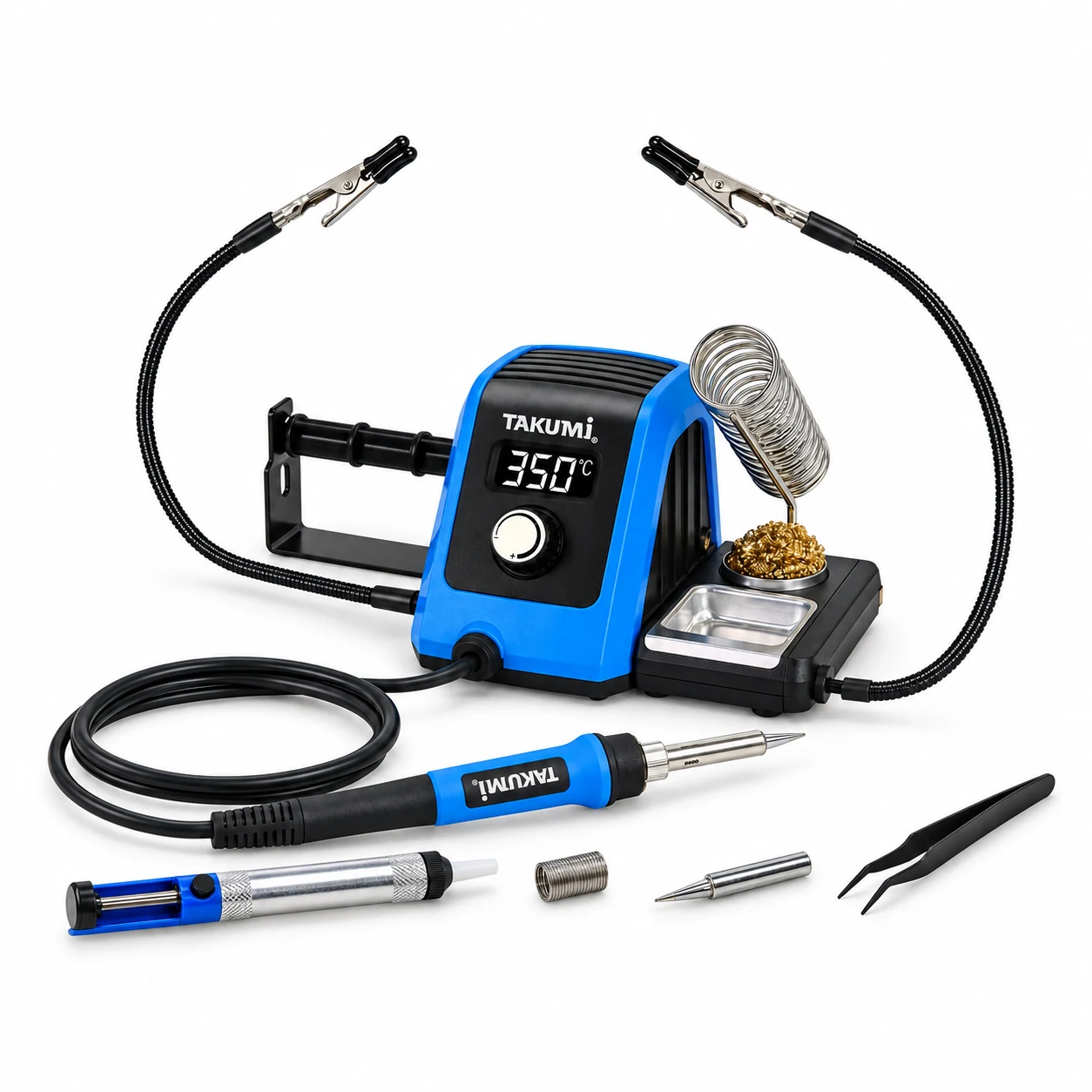
A clear temperature display keeps the reading in view while you work.
KNS-P2225 · Explore the details
TAKUMI / Soldering
KNS-P2225
The TAKUMI KNS-P2225 is an 80 W digital soldering station with a 90–480°C adjustable range, designed for electronics repair and DIY projects.
This US version uses 120 V AC / 60 Hz power. An LED display, rotary control, PVC iron cable, two helping hands and an integrated iron holder bring the workbench essentials together.
Try the interactive product experience ↓
Check the model, voltage and included accessories for your region before purchase.
Questions about this tool?A CLOSER LOOK
A clear temperature display keeps the reading in view while you work.
Make adjustments with the dial on the front of the station.
Two flexible arms with clips help position small workpieces.
A spring iron holder, tip cleaner and metal tray keep your setup together.
EXPLORE THE KNS-P2225
Try the controls, explore the details and compare measured warm-up curves. This is an interactive demonstration; it does not connect to a real station.
Open the full interactive experience ↗03 / MADE FOR YOUR NEXT PROJECT
For electronics repair, RC and drone projects, and hands-on DIY.

YOUR WORKBENCH STARTS HERE
The station, the iron and the accessories that bring your setup together.
The front metal tray is supplied empty. No sponge is included.
| Model | KNS-P2225 |
|---|---|
| Heating power | 80 W · ceramic heater |
| Input | 120 V AC / 60 Hz · US version |
| Temperature range | 90–480°C / 194–896°F |
| Display | LED temperature readout · 3 × 1.5 cm |
| Temperature control | Rotary dial with °C / °F switching and calibration |
| Measured heat-up reference | 350°C setpoint: approx. 336–345°C at 60 s from log start across three calibrated reports |
| Calibration | ±57°C · external tip thermometer required |
| Settings menu | C_F · CAL · Stb · AS; temperature/menu lock and E01 / E02 / E03 diagnostics |
| Standby mode | 200°C after 5 minutes by default; adjustable 0–15 min, 0 disables standby |
| Sleep mode | After 10 more minutes in standby (15 minutes idle total by default): heating off, SLP displayed. The station remains powered; switch off and unplug after use. |
| Cable material | PVC |
| Workpiece support | Two flexible helping hands |
| Iron storage | Integrated spring holder, tip cleaner and metal tray |
For voltage, plug type and regional availability, check your local listing or contact TAKUMI.
MEASURED HEATING PERFORMANCE
Three supplied 120 V reports, calibrated at 350°C with a 350°C setpoint. These are measured tip temperatures, separate from the station display.
| Report group | 40 seconds | 60 seconds |
|---|---|---|
| 47.4Ω | 289.95°C | 336.15°C |
| 51.1Ω | 302.00°C | 345.10°C |
| 54.7Ω | 289.70°C | 338.70°C |
Elapsed time starts when recording begins; the exact power-on offset was not documented. These three report groups are a reference, not a guaranteed warm-up time. Ambient conditions, tip specification and instrument uncertainty were not fully documented.
Explore all measured curves and source details ↗OFFICIAL PRODUCT DOCUMENTATION
English instructions for the 120 V AC / 60 Hz US version.
This original manual includes the earlier RS reset label and an approximate 40-second warm-up figure. Current guidance uses AS for reset. Heating performance is described using the measured conditions and curves. View measured results or explore the current controls.
BEFORE YOU GET STARTED
Get to know your soldering station.
By default, 5 minutes of inactivity reduces the temperature to 200°C. After another 10 minutes in standby, heating turns off and SLP is displayed. Lift the iron to wake, or press the knob when controls are unlocked. The standby timer is adjustable from 0–15 minutes; 0 disables standby. At the default setting this is 15 minutes idle in total. Sleep stops heating but does not disconnect the power. After use, switch off with the rear power switch, unplug and let the iron cool in its stand.
The KNS-P2225 uses PVC electrical cable. The iron has a blue non-slip grip.
No. The front metal tray is supplied empty. An iron tip cleaner is included, as shown in the parts list.
Download the KNS-P2225 US-version instruction manual below. The manual section explains earlier reset-label and warm-up references. For replacement parts, contact TAKUMI with your model, country and the part you need to confirm compatibility and local availability. View the manual and revision notes.
TAKUMI KNS-P2225
Shop the KNS-P2225 US version: 120 V AC / 60 Hz. Check the current price and availability on Amazon.